Webhook Deliveries
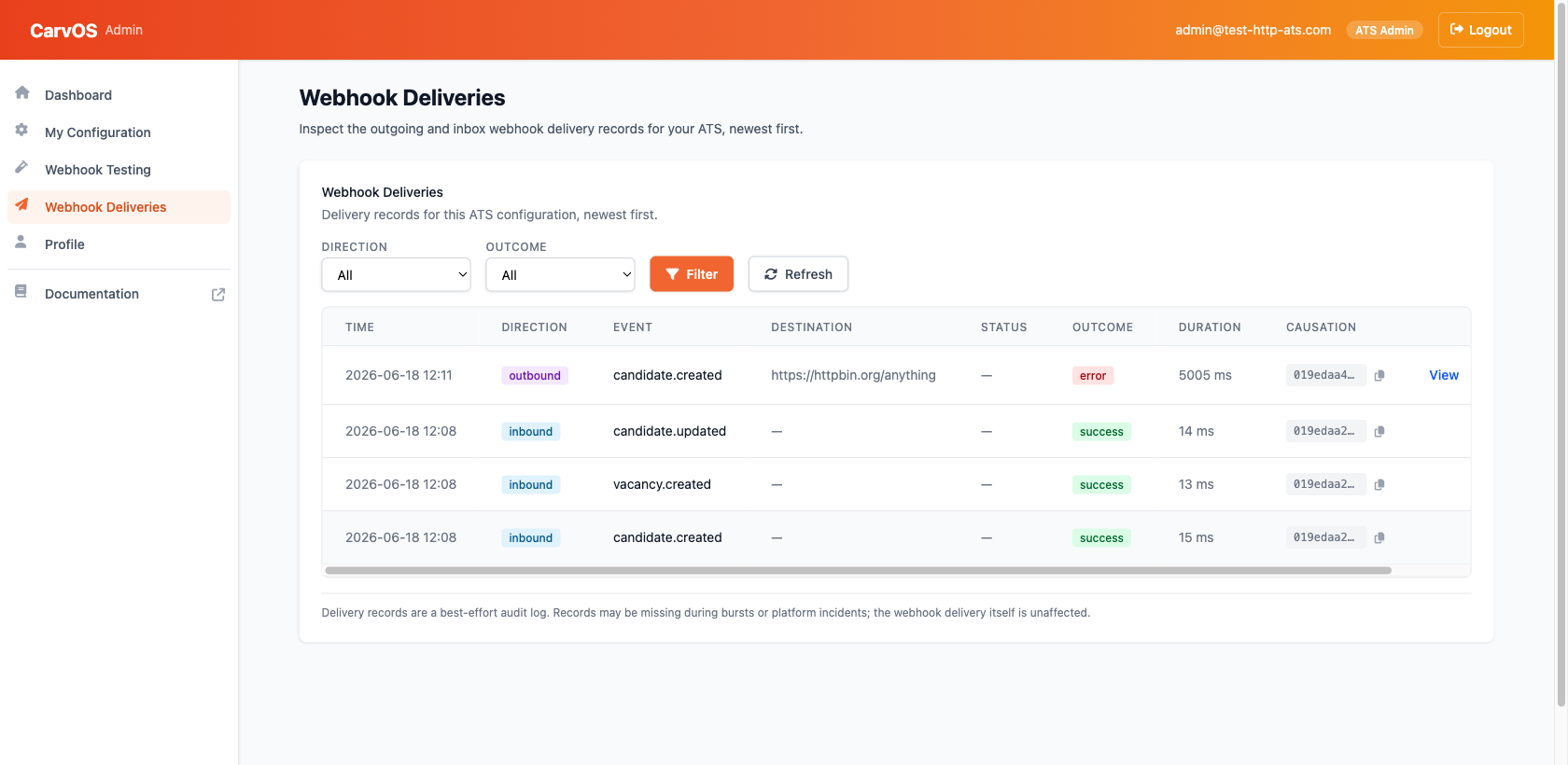
The Webhook Deliveries page in the self-service portal shows a short-lived, inspectable record of every webhook delivery for your ATS — both the outgoing webhooks CarvOS sends to your endpoint and the incoming webhooks your ATS sends to CarvOS. Use it to diagnose delivery problems without reproducing them.
You only ever see your own ATS's records; one ATS can never see another's.
Opening the page
Sign in to the Self-Service Portal and choose Webhook Deliveries from the sidebar. Records are listed newest first.
Filtering
Two filters narrow the list:
- Direction — outbound (CarvOS → your endpoint) or inbound (your ATS → CarvOS).
- Outcome — success, failure, or error.
Leave a filter on All to remove it. Filters carry across pagination.
Inspecting a delivery
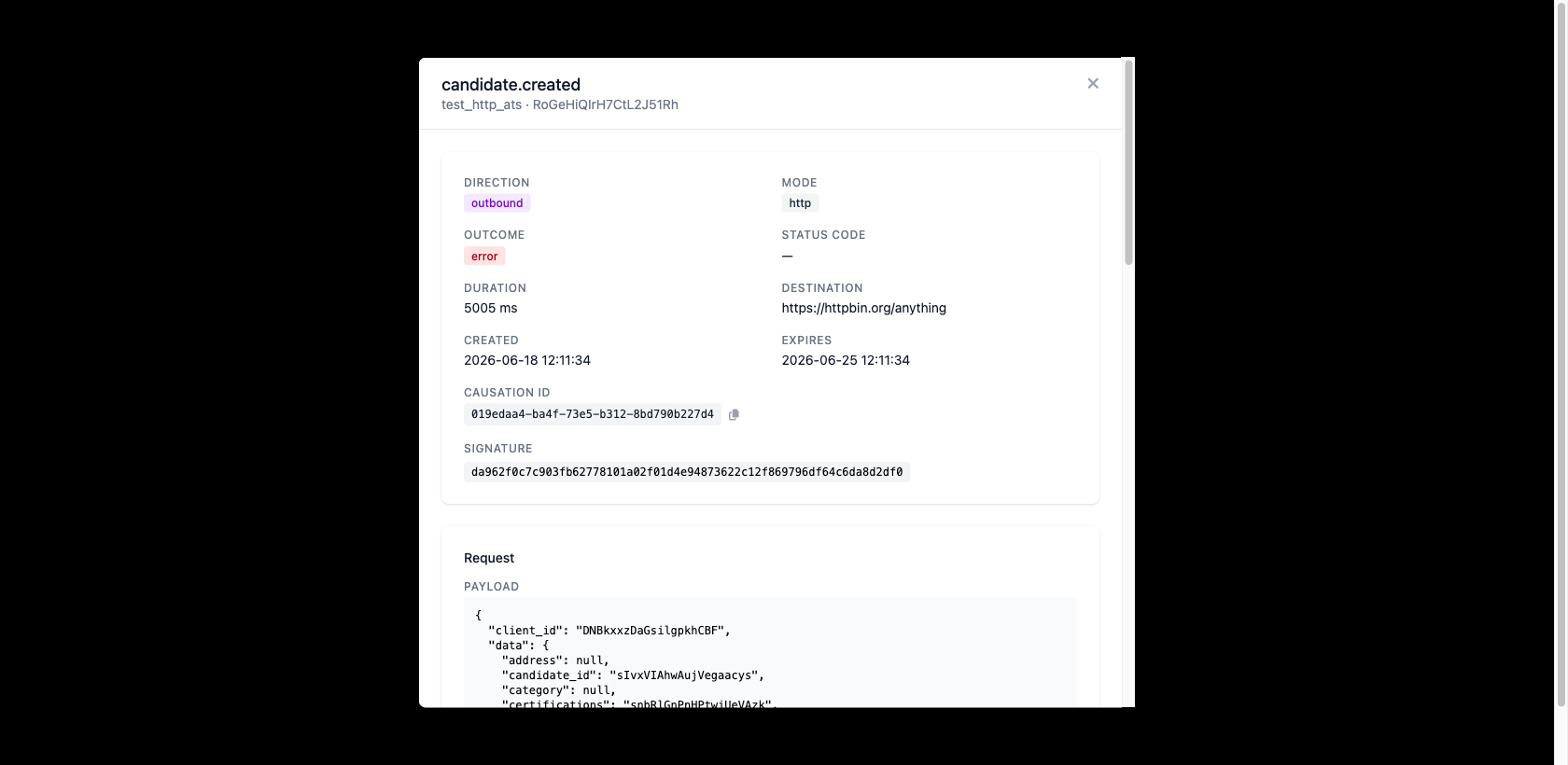
Select View on any row to open the detail dialog. It shows the request payload, the response body and status (for outgoing HTTP deliveries), the allowlisted request/response headers, timing, and the correlation id you can copy into a support request.
Best-effort audit
Delivery records are a best-effort audit log. Records may be missing during bursts or platform incidents; the webhook delivery itself is unaffected. Do not treat the delivery log as a billing-grade or compliance-grade ledger.
Related
- Webhook Delivery Log — exactly what is retained, for how long, and who can access it.
- Webhook Testing